
Members
The Members module is the heart of GCM — every other module (attendance, giving, messaging, workflows) ties back to records here.
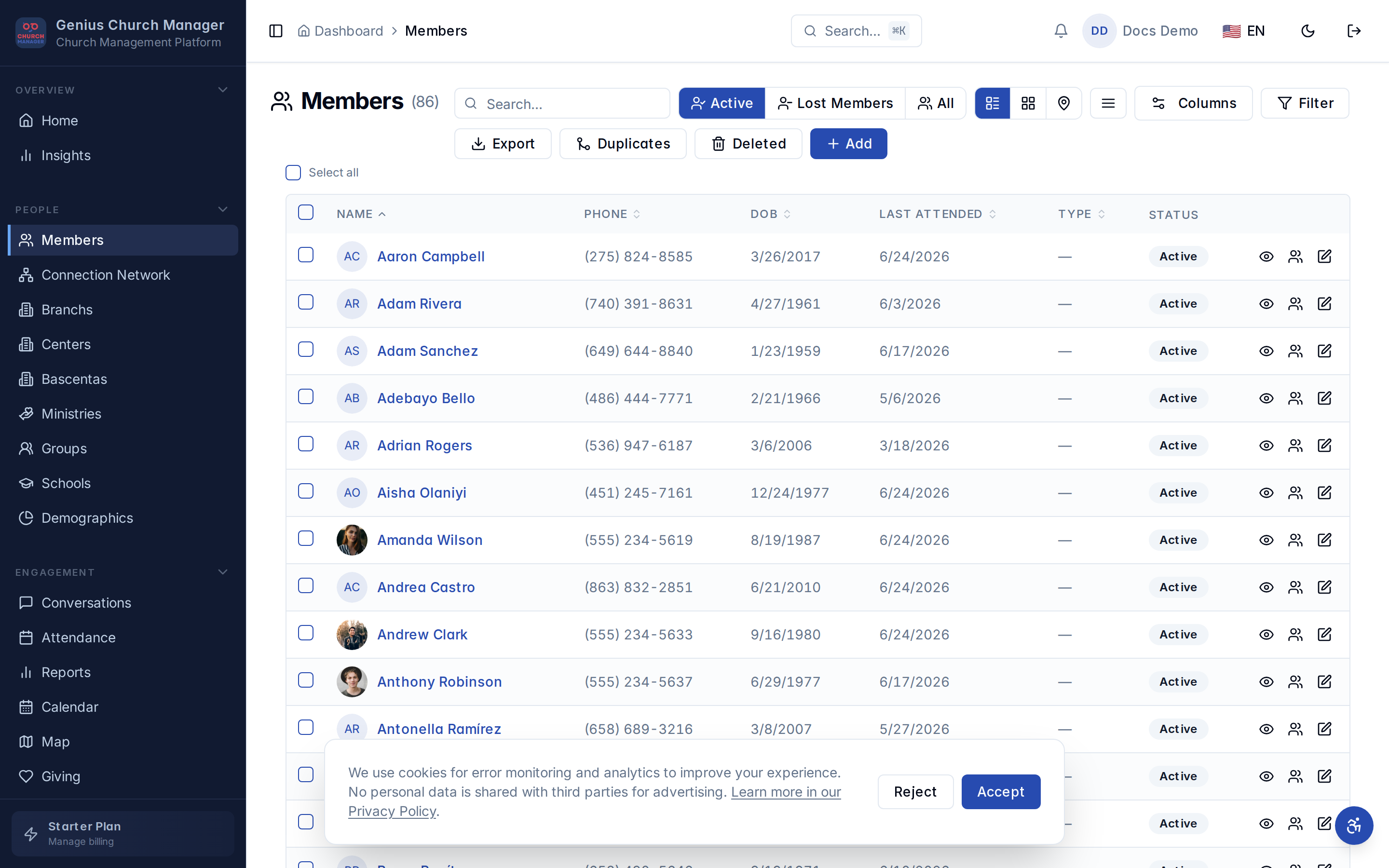
What's in a member record
Every member has:
- Names — first names + last names + a computed full-name field used for search.
- Photo — uploaded to your church's storage bucket, displayed in lists and on the connection network.
- Contact — primary phone, secondary phone, email.
- Demographics — date of birth, gender, marital status, country/state/city.
- Membership — date of registration, member type, who invited them.
- Org unit assignment — which branch / center / cell group they belong to.
- Custom fields — anything else your church wants to track (food allergies, baptismal date, gift survey results).
Two ways to add members
| Path | Best for |
|---|---|
| Add a member | one at a time, full profile capture |
| Bulk import | migrating from another system (CSV) |
Important concepts
- Active vs lost members — every member is either active or marked lost. Lost members don't count against your plan's limit and don't appear in attendance lists by default.
- Custom fields — define your own profile fields per church.
- Merging duplicates — combine two records into one, carrying attendance + donations from both.
- Connection network — visualize who invited whom across your whole church.
Permissions
| Action | Admin | Shepherd | Member |
|---|---|---|---|
| View member | ✅ | ✅ scoped to assigned units | ✅ self only |
| Add member | ✅ | ✅ | ❌ |
| Edit member | ✅ | ✅ scoped | ✅ self only |
| Delete member | ✅ | ❌ | ❌ |
| Merge duplicates | ✅ | ❌ | ❌ |
Next steps
- Add your first member
- Customize the profile fields for your church
- Once you have ~50 members, run a duplicate scan